Prior authorization automation: how Fanoni builds an evidence workflow
See how Fanoni connects payer policy, cited chart evidence, documentation gaps, clinician review, tracking, and appeals in one prior-authorization workflow.
Prior authorization is often treated as a form problem. Find the right form, fill the boxes, attach a note, and send it.
But the form is only the visible part of the work. The harder job is connecting the requested service to active coverage, the payer's policy, the relevant clinical record, missing documentation, clinician review, submission status, and—when necessary—an appeal.
When those steps live in separate portals, inboxes, spreadsheets, and fax queues, the practice becomes the integration layer.
That burden is substantial. The latest American Medical Association prior-authorization survey reports about 40 prior-authorization requests per physician each week and roughly 13 hours of physician and staff time spent on them. Forty percent of practices reported having staff who work exclusively on prior authorization.
Prior authorization automation, in brief
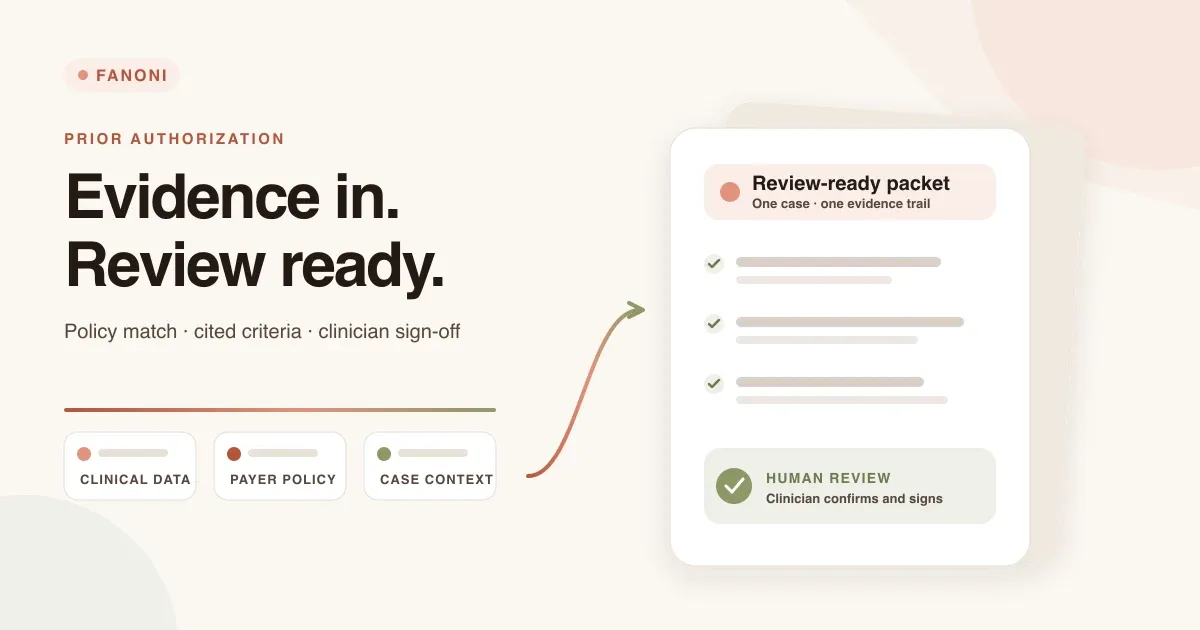
Fanoni is an AI-native EHR that helps clinics organize prior authorization as one reviewable evidence workflow. It brings the requested service, coverage context, payer policy, clinical documentation, missing evidence, clinician review, submission status, and appeal history into the same case—while keeping consequential decisions with licensed professionals.
For a practice or healthcare organization, that means:
- A workflow personalized to the organization: worklists, responsibilities, service lines, care centers, and submission channels can reflect how the team operates.
- Less fragmented administrative work: staff can review assembled evidence and policy criteria instead of repeatedly searching across charts, portals, inboxes, and spreadsheets.
- Cited, inspectable AI assistance: each criterion can be reviewed against its chart source rather than presented as an unexplained score.
- Human control at decision points: gaps, uncertainty, overrides, attestations, and signatures remain visible and auditable.
- Measurable operations: teams can track case status, documentation gaps, follow-up burden, and denial rework using their own baseline rather than relying on a universal savings claim.
Fanoni approaches the problem differently: prior authorization should be an evidence workflow inside the EHR, not a scavenger hunt outside it. Fanoni connects the chart, payer requirements, clinical evidence, staff worklist, clinician sign-off, status tracking, and appeal path in one system.
Explore Fanoni Prior Authorization · Create a clinic account
The transition happening now
The operating environment is changing. Under the CMS Interoperability and Prior Authorization Final Rule, beginning in 2026 many regulated health plans must return expedited prior-authorization decisions within 72 hours and standard decisions within seven calendar days. They must also provide specific reasons for denials and publish selected prior-authorization metrics.
Beginning in 2027, certain payers must support standards-based prior-authorization interfaces for medical items and services. The direction is clear: coverage requirements, documentation, submission, and payer responses are moving toward structured electronic exchange.
Practices still have to operate in today's mixed environment, however. Payer requirements vary. Pharmacy authorization follows a different standards path. Portals and fax remain part of many workflows. A useful system must help now while remaining ready for the electronic channels that are arriving payer by payer.
Personalized around how your organization works
A solo practice, a multisite group, and a health system do not manage prior authorization in the same way. Fanoni is designed to fit the organization rather than forcing every team into one generic automation.
The workspace can be organized around your care centers, staff roles, service lines, and review responsibilities. The workflow keeps the submission channel explicit, so a configured fax process can operate today while supported electronic connections can be added payer by payer. Worklists can then show each team the cases that need its attention instead of exposing everyone to the same undifferentiated queue.
During a personalized demo, the Fanoni team can map your current process: where requests begin, which records staff gather, which payers and services create the most rework, who must review and sign, and how the organization follows up after submission. That gives you a practical implementation conversation—not a generic product tour.
Book a personalized Fanoni demo →
How the Fanoni prior-authorization workflow works
1. Start with the case already in the record
The workflow begins from an existing preauthorization claim in Fanoni. Staff can search by patient or claim number, select the requested service, and see the service code, diagnosis, ordering provider, and attached documentation together.
The intake surface can also run an eligibility check and display the payer's prior-authorization indicator when that information is returned. Just as importantly, the interface distinguishes a live verified response from an unknown result. An unavailable answer should remain unknown—not become an assumption.
2. Assemble the relevant chart evidence
Fanoni builds a bounded clinical evidence bundle around the request. That can include the claim, patient and coverage context, supporting documents, diagnostic reports, conditions, procedures, observations, and service requests referenced by the case.
This changes the first staff task from “open the chart and start searching” to “review the evidence assembled for this request.” The source record remains connected to the case instead of being reduced to copied text in a payer portal.
3. Match the request to payer policy
A multi-stage assessment pipeline validates the payer, finds the policy most relevant to the requested service, extracts the policy's clinical requirements, and prepares them for review.
Policy matching matters because a clinically reasonable request can still be incomplete for a specific payer's documentation rules. Fanoni keeps the policy, service, and record in the same review context so staff can see what standard is being applied.
4. Evaluate every criterion against cited evidence
The assessment does not stop at a single recommendation. It shows each criterion separately, the evidence found in the chart, its source, a confidence signal, and whether the documentation meets, partially meets, or does not meet the requirement.
That transparency is central to the design. The reviewer can inspect the supporting record rather than trusting an unexplained score. If a finding needs correction, the reviewer can override it—but must record a rationale. The original assessment and the human change remain visible together.
5. Surface gaps without inventing support
The most useful output is often not an approval prediction. It is a precise view of what is missing before the request leaves the practice.
Fanoni can surface insufficient evidence, missing documentation, or a policy mismatch as an action-needed case. If no reliable policy match is available, confidence is too low, or a processing stage fails, the workflow pauses for manual review. It does not manufacture a criterion or turn uncertainty into a favorable answer.
That fail-closed behavior gives the team a safer next step: obtain the missing report, correct the record, choose manual review, or submit with the limitation understood.
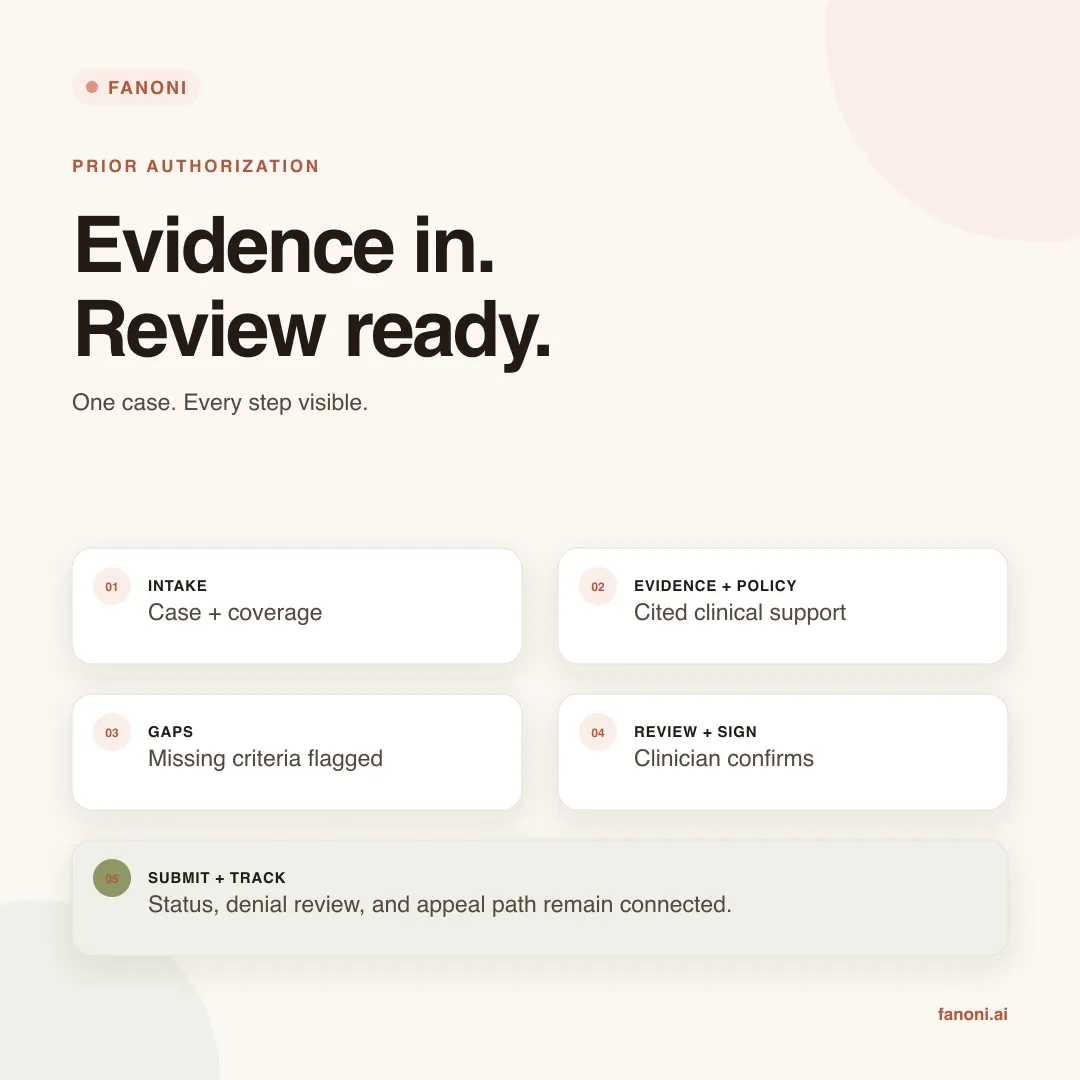
The result is not simply a faster form. It is a case that stays connected from intake through the final payer outcome, with the evidence and human decisions still visible.
6. Keep the clinician as the reviewer of record
Before a consequential decision is recorded, the clinician sees the assessment, the policy, the evidence, any gaps, and any reviewer overrides. The clinician chooses the disposition, adds a recommendation when needed, attests that the supporting documentation was reviewed, and signs.
Fanoni records that decision in the clinical record with an audit trail. AI prepares and organizes the work; it does not replace the licensed professional's judgment or silently submit a clinical determination.
7. Send, track, and respond
After sign-off, the case moves into a submission and status workflow. For configured fax workflows, the signed packet can be transmitted and the team can track it from the same case. When the payer responds, staff can record an approval and authorization number, a denial and reason, or a request for more information. The outcome can then be reconciled with the chart and claim.
Electronic submission channels remain dependent on payer support and configuration. Fanoni keeps that boundary explicit: the assessment, evidence, signature, status, and outcome stay consistent even when the transmission channel differs.
If the payer denies the request, the case can move into a single-case or bulk appeal workflow. Fanoni can prepare an appeal draft from the adverse action and supporting evidence, while grounding checks and human approval remain in place before the appeal is sent.
How this helps a practice or healthcare organization
Prior authorization creates cost in several places: staff time spent searching the chart, avoidable back-and-forth over missing documentation, repeated status checks, delayed scheduling, and denial rework. Fanoni is built to reduce that manual coordination and make the remaining work measurable. The exact financial impact depends on request volume, staffing, payer mix, and service lines, so Fanoni does not promise a universal savings number.
Reduce manual work and avoidable rework
Evidence assembly, policy matching, criterion review, gap detection, and packet preparation are brought into one guided workflow. Staff can spend less time copying information between systems and more time resolving the exceptions that actually require judgment.
Finding a missing report or unmet documentation criterion before submission can also reduce preventable resubmission and denial work. That protects staff capacity and helps keep authorized care from waiting on an avoidable paperwork gap.
Staff work from exceptions instead of memory
A shared worklist groups cases by what needs attention: ready to sign, documentation gap, in review, waiting on payer, or authorized. The team does not have to remember which portal needs checking or maintain a separate spreadsheet to know what comes next.
Documentation problems become visible earlier
Criterion-level gap analysis moves the documentation check before submission. That gives the practice a chance to correct an avoidable omission while the chart and clinical context are still close at hand.
Clinical and revenue teams share the same case history
The requested service, chart evidence, policy assessment, signature, submission status, payer response, and appeal history remain connected. That gives clinical operations and revenue-cycle staff a common record instead of parallel versions of the same authorization.
Leaders gain a standard process across the organization
The same stages and review boundaries can be used across clinicians, locations, and service lines. Leaders can see where work is accumulating—evidence gaps, cases ready for signature, or requests waiting on a payer—without asking each staff member to reconstruct the queue.
Operational status becomes visible without another spreadsheet
Fanoni turns case activity into an operational view of what is ready, blocked, signed, submitted, waiting on a payer, approved, denied, or moving to appeal. Teams can work from the same current status, while leaders can see where work is accumulating and where process changes may save time.
That visibility also creates a better baseline for an ROI discussion. A practice can compare its current request volume, staff hours, documentation-gap rate, follow-up burden, and denial rework with the workflow after implementation. Savings can then be measured from the practice's own operating data rather than a marketing estimate.
AI remains reviewable and accountable
Healthcare organizations should not have to choose between automation and control. Fanoni is designed to show the policy, cite the evidence, record overrides, require attestation, and preserve an audit trail. The human decision stays visible at the point where it matters.
What Fanoni does—and what it does not promise
Fanoni helps a practice prepare a better-supported, reviewable prior-authorization case and manage the work around it. It does not guarantee that a payer will approve a request. It does not treat missing evidence as present. It does not make an autonomous clinical decision. And it does not pretend every payer uses the same submission channel today.
The practical goal is simpler: make the request, evidence, gaps, reviewer, status, and next action visible in one place.
That is how prior authorization becomes manageable—not by making the form faster, but by designing the full evidence workflow around the people responsible for it.
Frequently asked questions about Fanoni prior authorization
What is prior authorization automation?
Prior authorization automation uses software to reduce repetitive administrative steps such as gathering chart evidence, matching a request to payer criteria, identifying missing documentation, preparing a submission packet, tracking status, and organizing appeal work. Safe automation should make evidence and uncertainty visible; it should not turn missing information into a favorable clinical conclusion.
How is Fanoni different from a standalone prior-authorization portal?
Fanoni manages prior authorization inside the EHR workflow, so the request can remain connected to the patient record, coverage context, clinical evidence, reviewer actions, signature, payer response, and appeal history. The goal is to reduce handoffs between disconnected systems and give clinical and revenue-cycle teams a shared case history.
Can Fanoni personalize prior authorization for our organization?
Yes. A Fanoni implementation can be mapped to the organization's locations, service lines, staff roles, review responsibilities, payer mix, and available submission channels. A personalized demo begins with the current workflow and its highest-friction steps instead of assuming that every clinic should use the same queue.
Does Fanoni make autonomous clinical decisions or guarantee payer approval?
No. Fanoni can prepare and organize evidence, surface policy criteria and documentation gaps, and support submission and tracking. A licensed clinician reviews consequential findings and signs the decision. Payers make coverage determinations, so Fanoni does not guarantee approval.
How can a practice evaluate possible time or cost savings?
Start with the practice's current request volume, staff hours, documentation-gap rate, repeated status checks, resubmissions, and denial rework. After implementation, compare the same measures. This produces an organization-specific ROI view without relying on an unsupported universal savings percentage.
How do we get started with Fanoni?
You can book a personalized demo, create a clinic account, review the Prior Authorization product page, or compare Fanoni pricing.
About Fanoni
Fanoni is an AI-native EHR for modern clinics. Fanoni brings clinical documentation, practice operations, revenue-cycle workflows, and administrative automation into a connected platform designed around reviewable work and human accountability.
Ready to see Fanoni with your workflow?
Choose the next step that fits your organization:
- Book a personalized demo to walk through your current prior-authorization process, payer mix, service lines, and opportunities to reduce manual work.
- Create a clinic account to begin setting up your Fanoni workspace.
- Explore the Prior Authorization product page for the pipeline, review, tracking, and appeal features.
- Review Fanoni pricing to compare available plans.
Last reviewed August 18, 2026. Research and implementation references: CMS Interoperability and Prior Authorization Final Rule, CMS Electronic Prior Authorization overview, and American Medical Association prior-authorization survey. Product resources: Fanoni Prior Authorization, Fanoni pricing, and Fanoni demo request.