EHR demo checklist: what an independent practice should ask
Prepare for an EHR demo with a practical evidence worksheet, workflow questions, and a clear way to record dependencies and unanswered questions.

An EHR demo checklist helps a practice evaluate software using specific workflows, questions, and recorded observations. Start with work your team needs to perform, ask the vendor to demonstrate it using synthetic information, and document what you saw, what depends on setup, and what still needs an answer.
Imagine finishing a demonstration with a page of feature names: scheduling, tasks, patient records, integrations. That list says little about how your front desk will move an appointment or how a colleague will find unfinished work.
A more useful record describes the action, the result shown, and the remaining question. This guide includes a worksheet you can copy into your own evaluation notes, plus a fictional example of how to use it.
What should you prepare before an EHR demo?
Choose a few workflows that matter to your practice. Describe each one from the starting request to the point at which someone considers the work complete.
For an administrative example, consider a patient who asks to move an appointment. Your team might need to find the booking, select another time, update its details, and assign a follow-up task. Write down who performs each step and where that person expects to see the result.
Prepare a short scenario using invented names and information. Share the same scenario with each vendor so your evaluation has a consistent starting point. ONC's EHR demonstration toolkit uses this scenario-based approach to help practices compare demonstrations. The toolkit dates to 2016; its evaluation structure is useful here, rather than its older program-specific details.
Before the meeting, record:
- The workflow and why it matters to your practice.
- The roles that take part in it.
- What you need to observe to understand the process.
- Any system, service, or integration involved.
- The questions that could change your decision.
Keep the first scenario narrow enough to examine closely. You can arrange another session for a different workflow.
Who should attend the demonstration?
Invite people who perform the selected work, along with someone who can record questions and coordinate follow-up. For a scheduling example, that might mean a front-desk representative, the practice manager, and a clinician whose schedule is affected.
Ask each participant to identify a detail they want to see. The front desk may care about finding the right appointment. A manager may want to understand assignment and coverage. A clinician may need to see how updated information appears in the day’s schedule.
This attention to everyday work is consistent with AHRQ's workflow assessment toolkit, which addresses both administrative and clinical workflow in ambulatory health IT projects.
What should the vendor demonstrate?
Ask the presenter to follow your scenario from the beginning. When an action changes something, ask to see where the result appears for the next person.
For the appointment example, useful requests include:
- Find the synthetic appointment and show its current details.
- Move it to the agreed new time.
- Show how the updated appointment appears to another relevant staff role.
- Create an administrative follow-up item and show who receives it.
- Return to the unresolved item later and explain how someone finds it.
Then introduce an exception: the assigned colleague is unavailable, or an expected external connection has not been configured. Ask how the practice would handle that situation and what needs further demonstration.
These are requests for evidence, not assertions that every EHR supports the same actions. If a step cannot be shown, record the explanation and the next action needed to resolve it.
How do you record what you actually saw?
Separate the observation from its dependencies. “Appointment moved on screen” is an observation. “External calendar update requires configuration” is a dependency. Both may be true at the same time.
Use three simple observation labels:
- Demonstrated: you saw the relevant action and result.
- Discussed only: the presenter described it, but you did not see it performed.
- Unanswered: the question remains open.
Keep setup requirements, third-party services, permissions, and future plans in a separate field. This avoids treating a demonstration in one environment as proof that the same workflow is ready for your practice.
Copy this EHR demo worksheet
This is a practical note-taking aid developed for this guide. It is not a validated vendor rating system.
| Requirement | Ask to see | Observed evidence | Dependency or open question | Next owner |
|---|---|---|---|---|
| Change an appointment | Move a synthetic booking and show the updated staff view | Complete during demo | Which connected calendars are included in scope? | Practice coordinator |
| Assign follow-up | Create an administrative task and show its recipient's view | Complete during demo | How is coverage handled when the owner is unavailable? | Practice manager |
| Revisit unfinished work | Find an unresolved item after leaving its screen | Complete during demo | Which filters or queues does the team use? | Team representative |
| Confirm delivery scope | Identify the written scope for the demonstrated workflow | Complete after demo | Which setup or separate services remain unconfirmed? | Practice decision-maker |
A completed note might read:
Demonstrated: the appointment moved and the updated staff view was shown. External calendar behavior was discussed only. The vendor will confirm which connection is included and arrange a follow-up demonstration.
This example is fictional. It illustrates how to take notes; it does not report a Fanoni test or customer experience.
Which questions belong in the follow-up?
Turn unanswered questions into a short action list. Give each one a responsible contact and an agreed date for the next response.
Ask the vendor to clarify the exact package being discussed, any setup required, the responsibilities of each party, and the support available during implementation. Identify which functions belong to the EHR and which involve another product or service.
For each external connection, ask what is available today, what must be configured, and how your practice would verify the agreed workflow. Collect written clarification of training, support, export arrangements, and commercial scope for review by the appropriate people in your organization.
Keep these details beside the demonstration notes. A feature list and a proposal can describe different scopes unless someone reconciles them.
How should your team compare the results?
Review your priority requirements together. For each one, ask whether the demonstration answered the original question and whether a dependency remains unresolved.
Avoid turning every observation into a single total score. A missing answer about an essential workflow deserves explicit discussion, even when many other features looked useful. Record the decision and the evidence behind it so someone who missed the meeting can understand the reasoning.
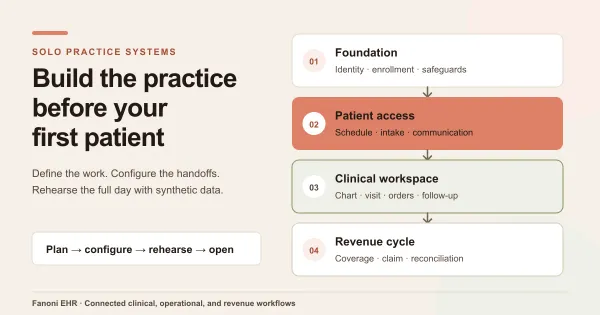
If you are also planning the wider operation of a new practice, our solo medical practice systems guide places the EHR evaluation alongside other setup decisions.
Frequently asked questions
What is the difference between an EHR demo and a trial?
A demo is a guided session showing selected workflows. A trial, when offered, gives your team access to an agreed environment for a defined period. Confirm the features, data rules, support, and commercial terms of either arrangement with the vendor.
Should we bring real patient records?
Use synthetic information for the evaluation described in this guide. An invented scenario can represent the work without exposing real names, records, or identifiers. Any later evaluation involving real information needs a separately agreed and appropriately reviewed process.
Does “included” mean a feature is ready to use?
Confirm what the package includes and what still requires configuration, permissions, an integration, or a separate service. Record both the commercial scope and the demonstrated behavior. They answer different questions.
Bring your workflow to a Fanoni demo
Fanoni EHR is the clinical core of the Fanoni practice platform. Start the conversation with the work your team needs to perform and ask us to clarify the relevant product scope, dependencies, and implementation requirements.
Bring one priority workflow, the staff roles involved, and your open questions. Book a personalized Fanoni EHR demo to discuss that scenario with our team.